Hi guys,
In my previous post I've mentioned how to connect to a system on a network.
Now let me share some interesting attacks.
These are just for educational purpose. Hope you will not misuse these attacks.
1. Command Prompt
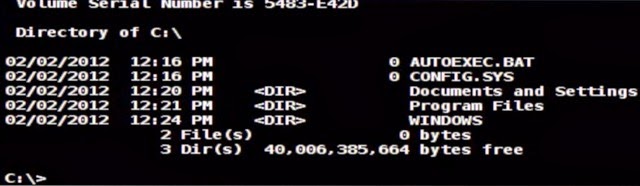 If you are familiar with command prompt then it is the most beautiful thing that you can access the system.
Right click on the host > Meterpreter1 >Interact > Command Shell
Now You are In Their Command Prompt. You can now change,rename,delete,create files on their PC now.
Visit this page for list of commands.
2. Get Screenshot
If you want to see the victims screen, you can get the screenshot of the PC
Right click on the host > Meterpreter2 > Explore > Screenshot
3.Accessing the files
If you want to browse the files on the PC in GUI mode just
Right click on the host > Meterpreter2 > Explore > Browse Files
4. Keylogger
 If you want to know what the victim is typing you can do it by
Right click on the host > Meterpreter2 > Explore > Log KeyStrokes
5. Access Webcam
If you want to have fun you can access the webcam of the victim.
Right click on the host > Meterpreter2 > Explore > Webcam Shot.
In my previous post I've mentioned how to connect to a system on a network.
Now let me share some interesting attacks.
These are just for educational purpose. Hope you will not misuse these attacks.
1. Command Prompt
If you are familiar with command prompt then it is the most beautiful thing that you can access the system.Right click on the host > Meterpreter1 >Interact > Command Shell
Now You are In Their Command Prompt. You can now change,rename,delete,create files on their PC now.
Visit this page for list of commands.
2. Get Screenshot
If you want to see the victims screen, you can get the screenshot of the PC
Right click on the host > Meterpreter2 > Explore > Screenshot
3.Accessing the files
If you want to browse the files on the PC in GUI mode just
Right click on the host > Meterpreter2 > Explore > Browse Files
4. Keylogger
Right click on the host > Meterpreter2 > Explore > Log KeyStrokes
5. Access Webcam
If you want to have fun you can access the webcam of the victim.
Right click on the host > Meterpreter2 > Explore > Webcam Shot.
Read More »


 Hi! I am Ajay Kumar Kalva, Currently serving as the CEO of this site, a tech geek by passion, and a chemical process engineer by profession, i'm interested in writing articles regarding technology, hacking and pharma technology.
